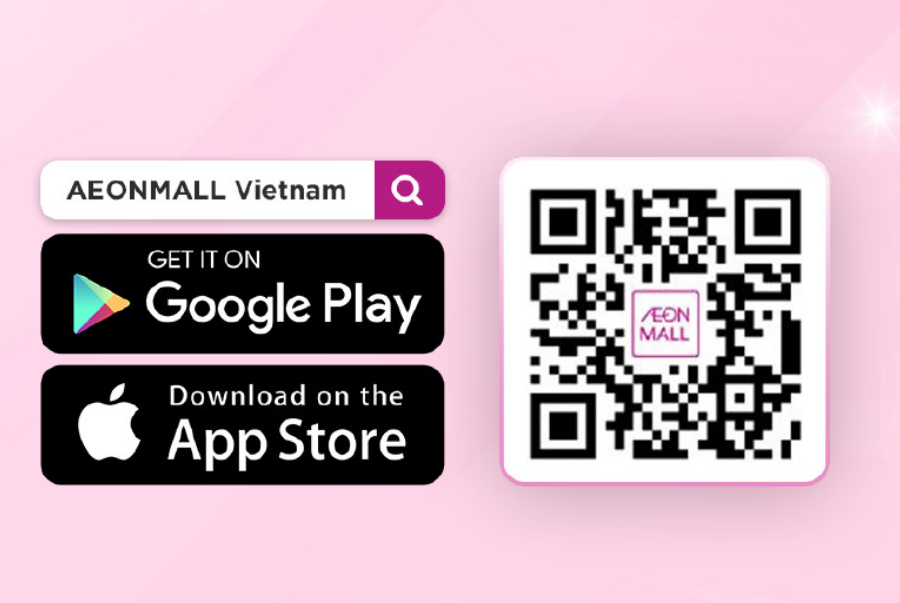
ONLINE SHOPPING GUIDE ON AEON MALL PLUS IN JUST 5 SIMPLE STEPS
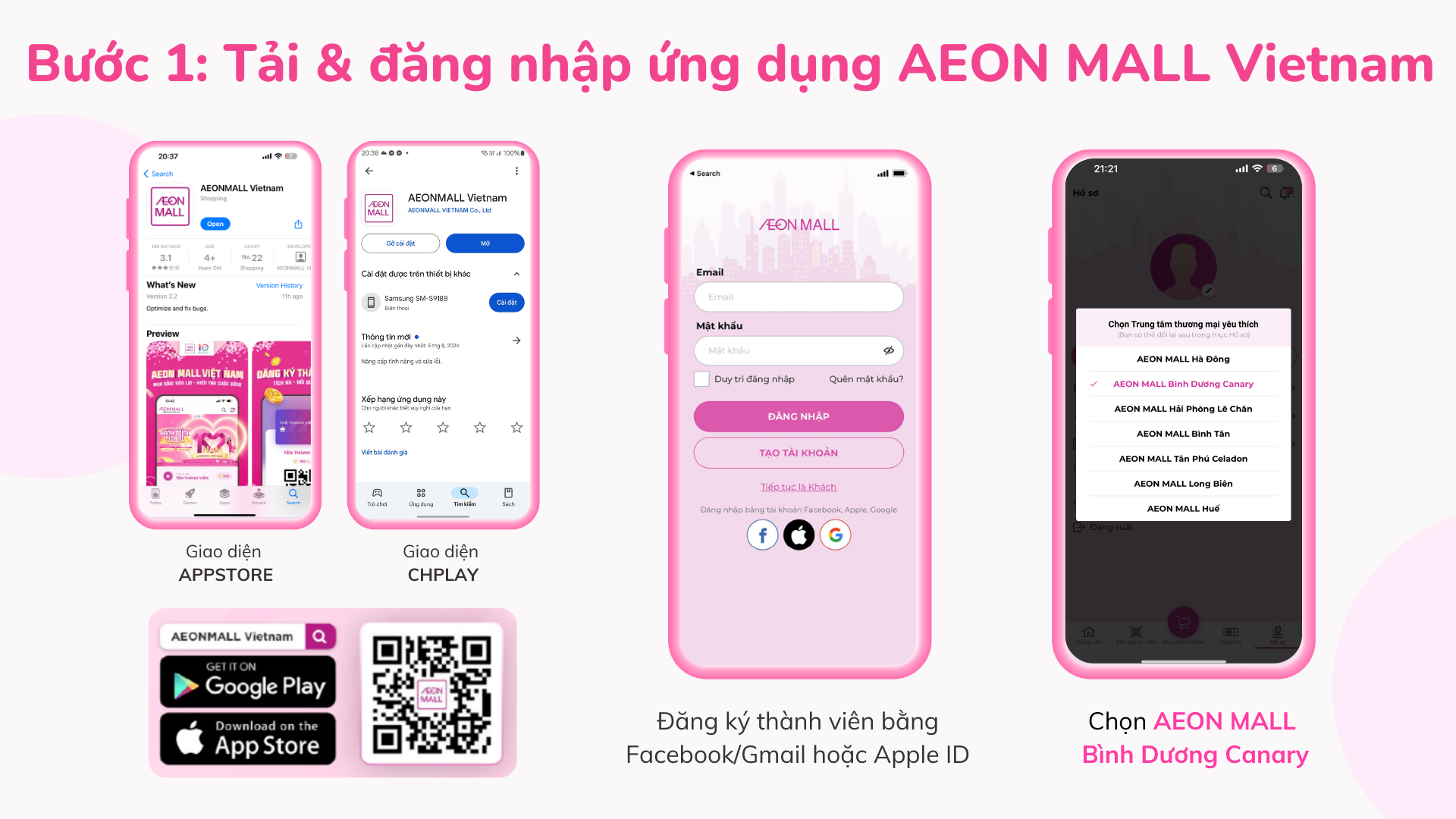
Step 1: Log in to your AEON MALL Plus account on the AEON MALL Plus app
Logging in to your AEON MALL Plus account on the AEON MALL Plus app is the first thing you need to do! If you don’t have an AEON MALL Plus account yet, create one now by clicking here:
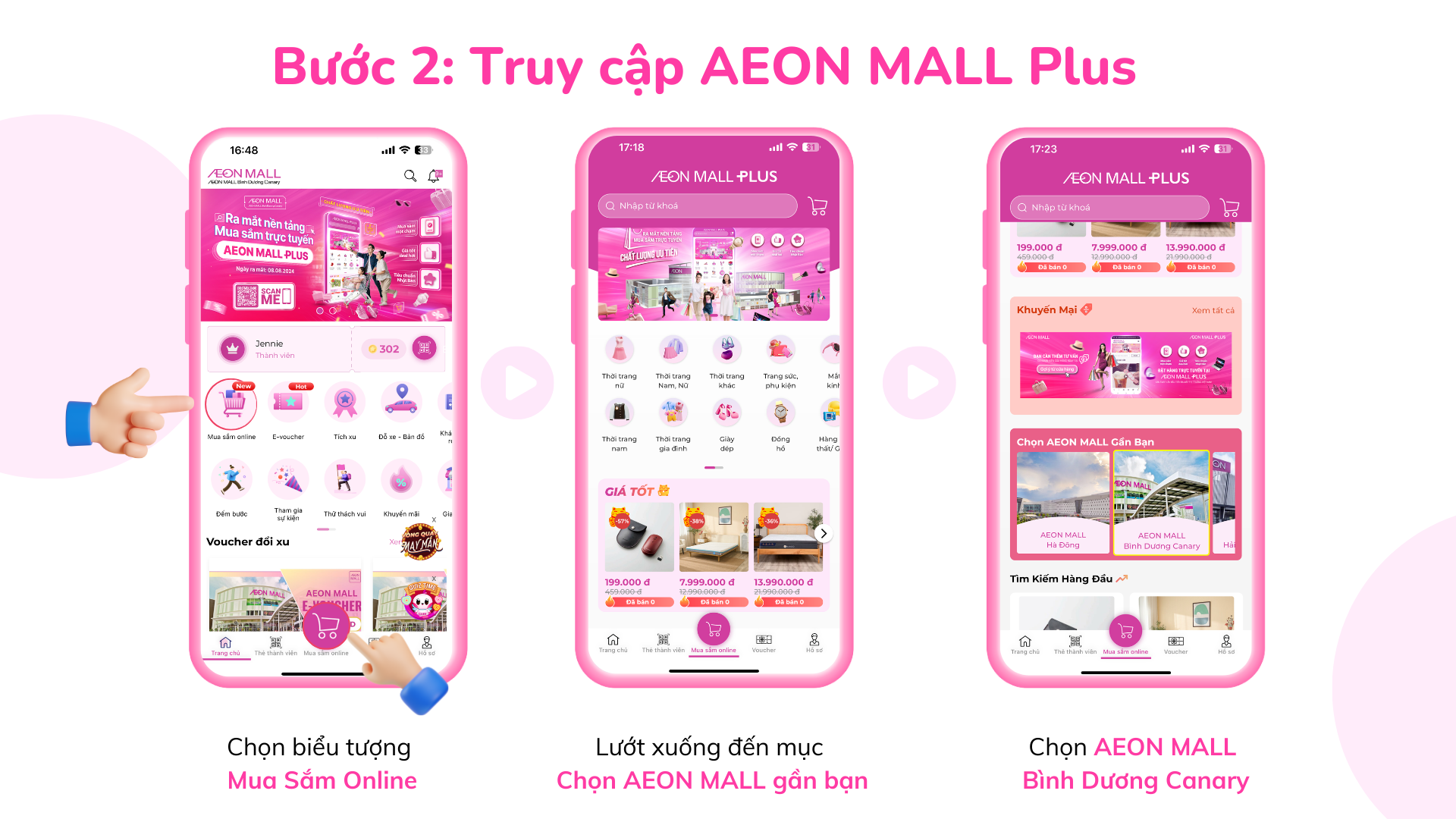
Step 2: After logging into the AEON MALL Vietnam app, users continue to the AEON MALL Plus page to shop
- On the main interface, users click on the "Shop" section to choose the category corresponding to the product they are looking for, or enter the specific product name in the search bar.
- Click on the product name or directly on the product image to view detailed information, images, and product reviews.
- Adjust the size, color, and quantity of the product you want to purchase and click "Add to Cart."
Step 3: Select Products & Make a Purchase
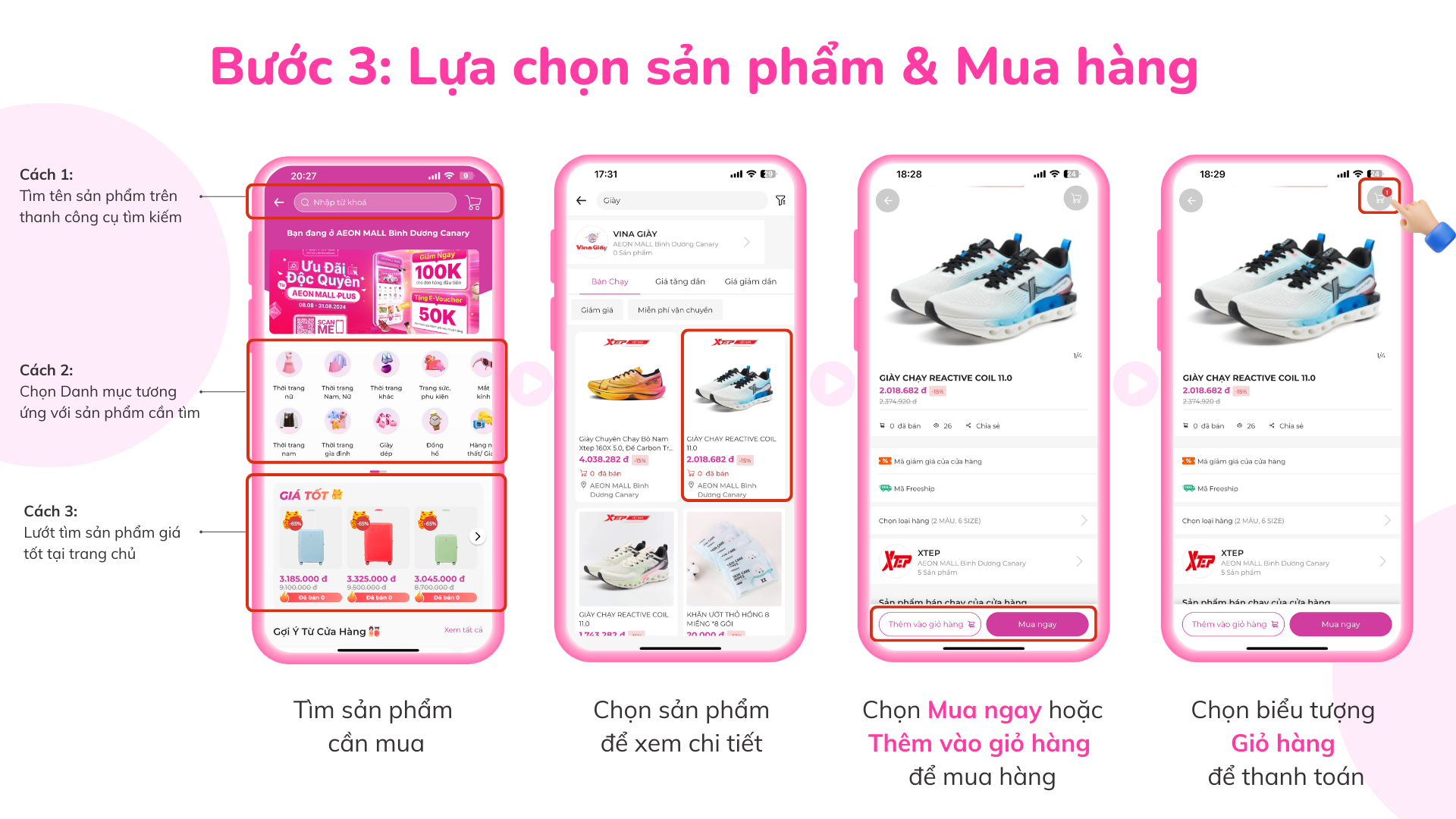
After accessing the AEON MALL Plus homepage of AEON MALL Bình Dương Canary, users can start selecting products to shop. There are 3 ways to find products:
- Search by product name in the search bar
- Choose the category corresponding to the product you need
- Browse for the best deals on the homepage
Once you have found the product you want to buy, you can follow the steps below to make a purchase.
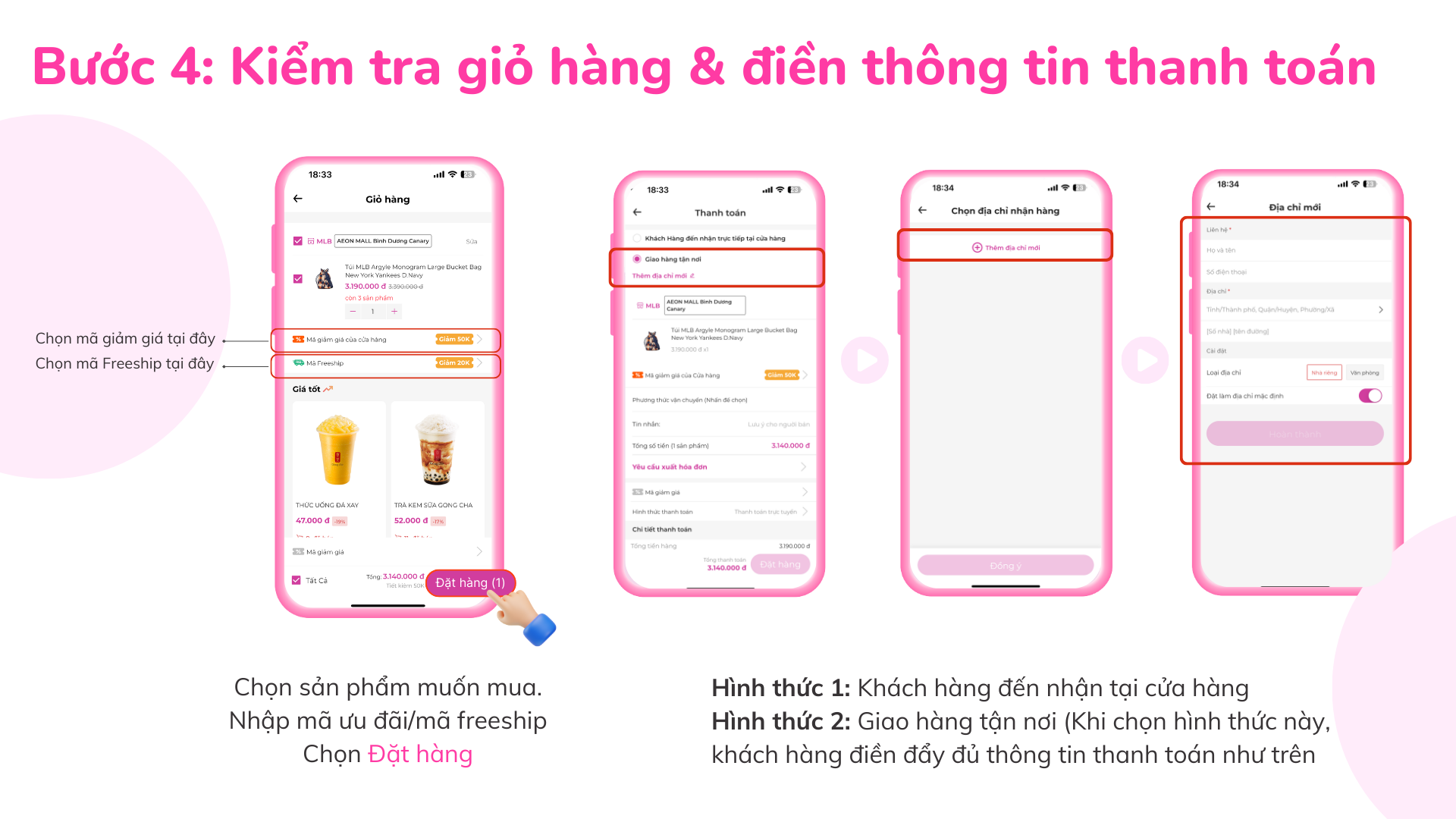
Step 4: Enter Shipping Information
- Click on the “Cart” icon at the top right corner of the screen to review the items you are about to purchase one last time.
- Adjust the quantity, color, and size of the products as needed.
- Select the “Checkout” button below and fill in all required personal information for shipping, including: Shipping address, request for VAT invoice, and choose the delivery method (Shipping/ store pickup).
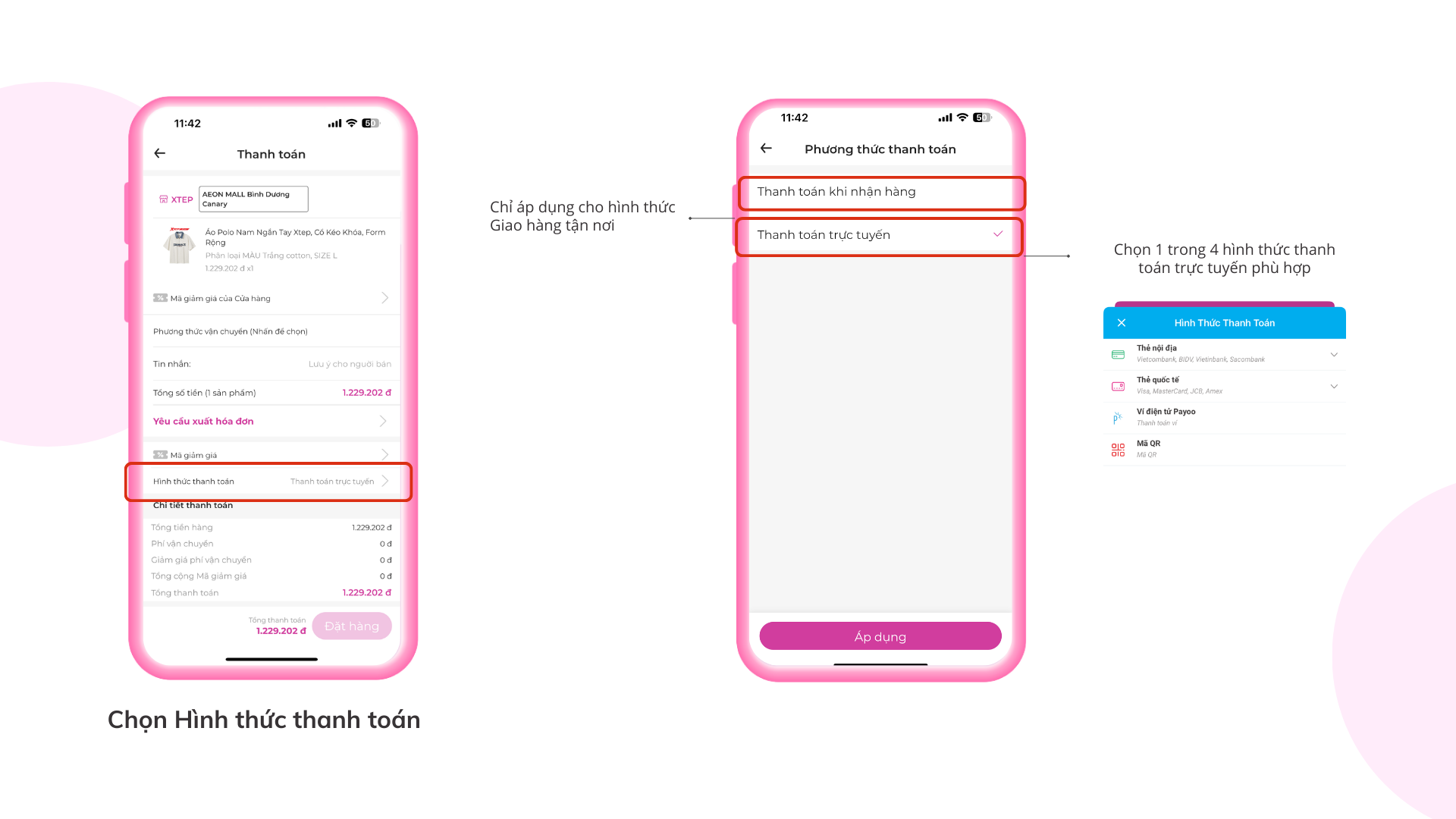
- Select a “Payment Method” from one of the following options: Credit card, e-wallet, local bank transfer, bank QR code, or COD (cash on delivery).
- Enter or apply any promotional codes (if available). Finally, click “Place Order.”
Step 5: Complete the Payment
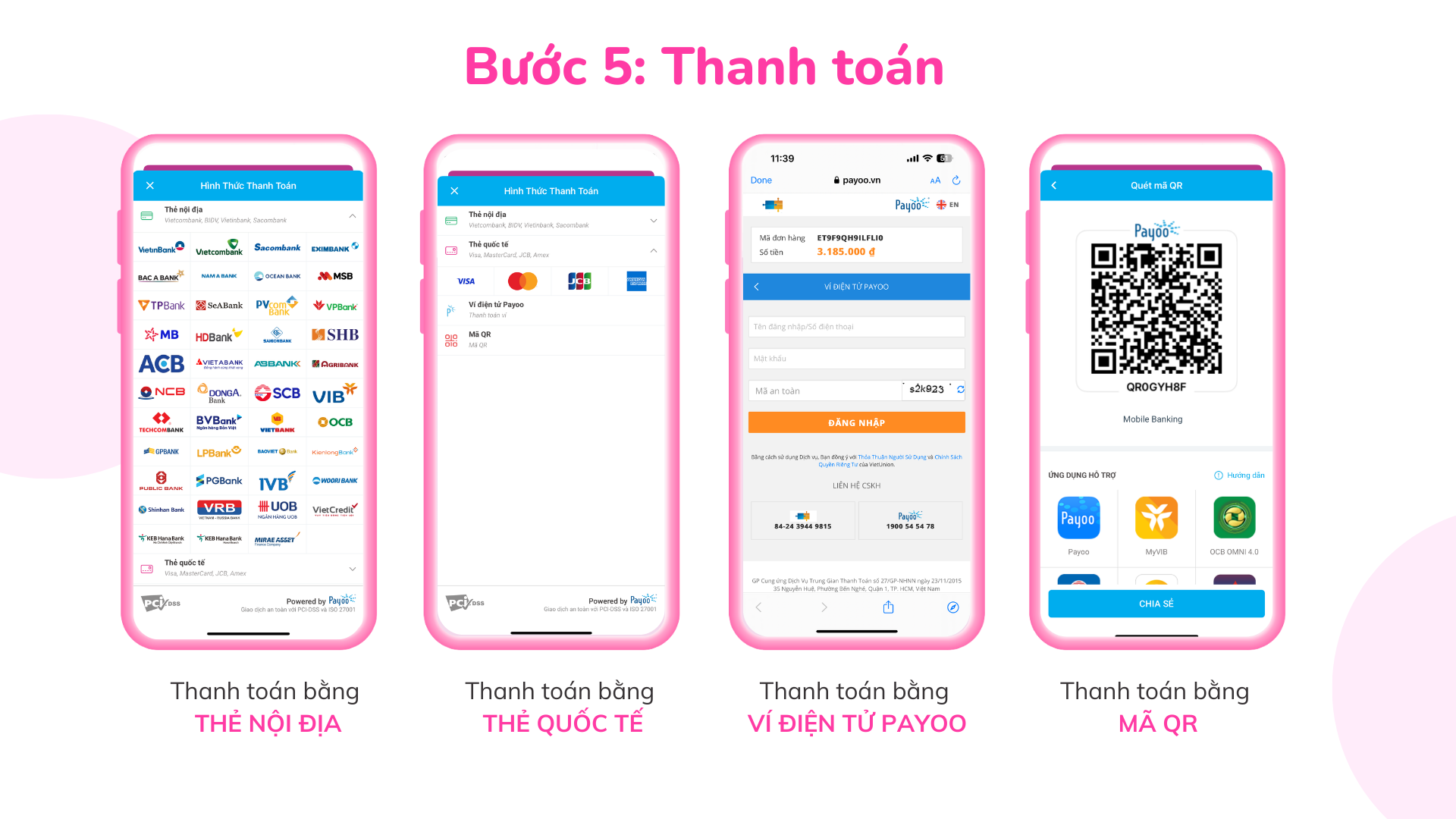
AEON MALL Plus supports several payment methods including credit cards, e-wallets, local banks, QR codes, or COD (cash on delivery).
- Payoo E-wallet Payment: Enter the required Payoo information to complete the payment.
- Local Bank Payment: AEON supports payments through domestic cards from major banks such as MB Bank, Vietcombank, Techcombank, etc. Provide your card details, name on the card, phone number, and click “Continue” to proceed with the payment.
- Credit Card Payment (for international cards): Use international credit cards (Visa, MasterCard, JCB) for payment.
- QR Code Payment: Pay using QR codes for 33 banks.
- COD (Cash on Delivery): Pay in cash when the goods are delivered.
Check out promotions on AEON MALL Plus HERE